What a QR Code on Packaging Does for Your Business
Follow one pack of masala from shelf to recycling bin: what its QR code does at every stop, what your business gets back, and when it isn't worth it.
ZetaQR Team
Verified Contributor
In short: a QR code turns a few square centimetres of packaging into a page you control for the whole life of the product. It can answer a shopper's question at the shelf, replace the leaflet nobody reads, bring people back to reorder, and tell them how to recycle the pack. Your business gets two things back: fewer reprints when something changes, and scan data showing where and when people actually use the product.
Meet One Pack of Masala
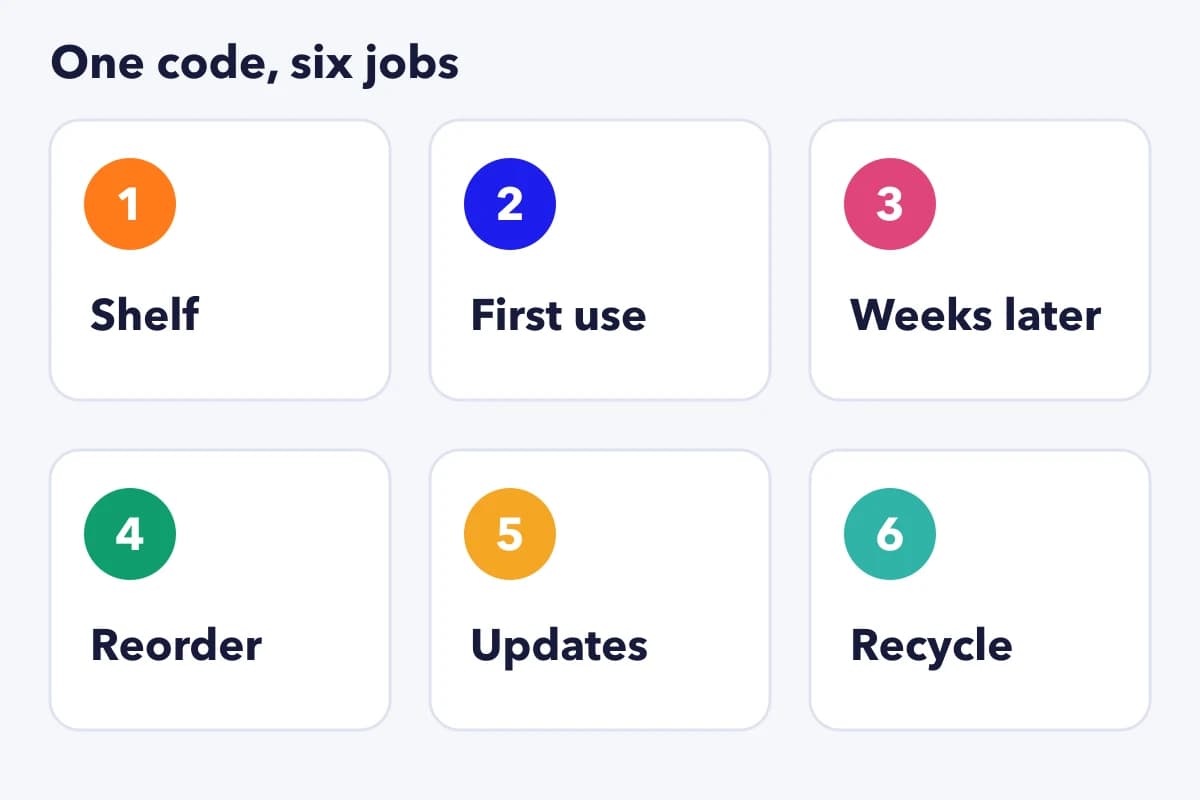
Say you make a 200 g carton of garam masala. The front has your brand. The back has ingredients, a best-before date and the address the law asks for. There's no room left for anything else.
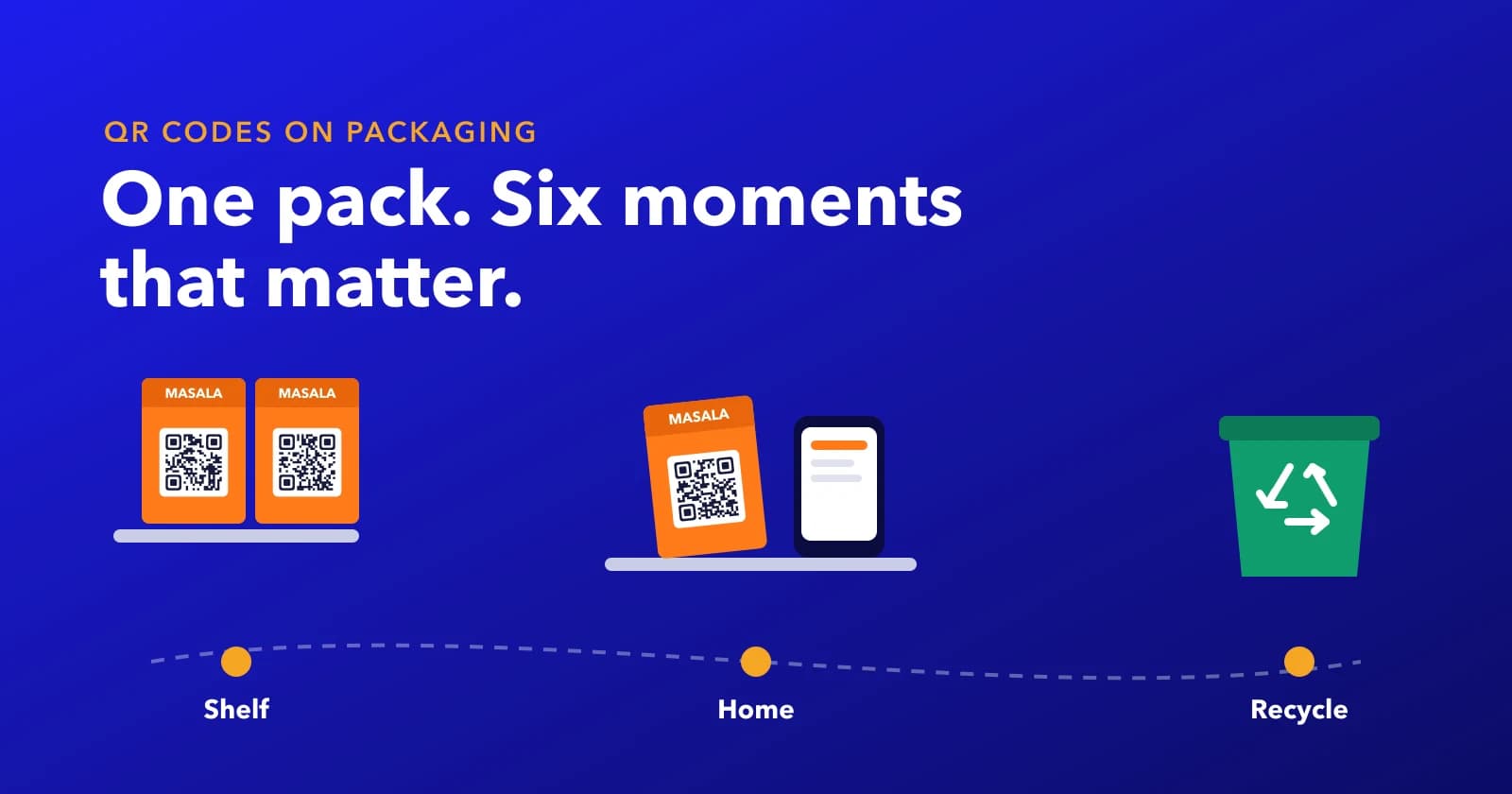
So you add a small QR code. Then the carton leaves your factory and goes on a journey you never see. It sits on a shelf next to six competitors. It goes home, gets opened, gets splashed, lives in a cupboard for two months, runs out and goes in the bin.
Each of those moments is a chance to help the person holding it. Here's what the code can do at every stop.
On the Shelf: Answering the Question Before the Purchase
A shopper is choosing between your masala and the one beside it. They want to know if it's too hot for their kids, or what to cook with it. The pack can't fit that answer. A scan can.
Point the code at a short page that answers the two or three questions people actually ask, like heat level, a quick recipe and what makes your blend different. Keep it fast, because they're standing in an aisle with a basket. You can build a page like that in ZetaQR's mobile page builder without touching your website.
First Use: The Leaflet Nobody Reads
For a spice pack, first use is easy. For a kitchen gadget, a skincare serum or a supplement, it isn't. That's usually where the folded paper leaflet comes in, and most of them go straight into the recycling with the box.
A code can open a 40-second video or a step-by-step page instead. It's easier to follow on a phone propped against the counter, it can be in the buyer's language, and you can fix a confusing step without reprinting anything. For products where a confused buyer means a complaint or a return, that's the moment the code earns its spot.
Weeks Later: Stained, Scratched, Still Scanning?
Here's the part brands forget. By week six the carton has an oil stain, a scuffed corner and a crease from being squashed into the cupboard. If the reorder link is on that pack, it has to scan in that state.
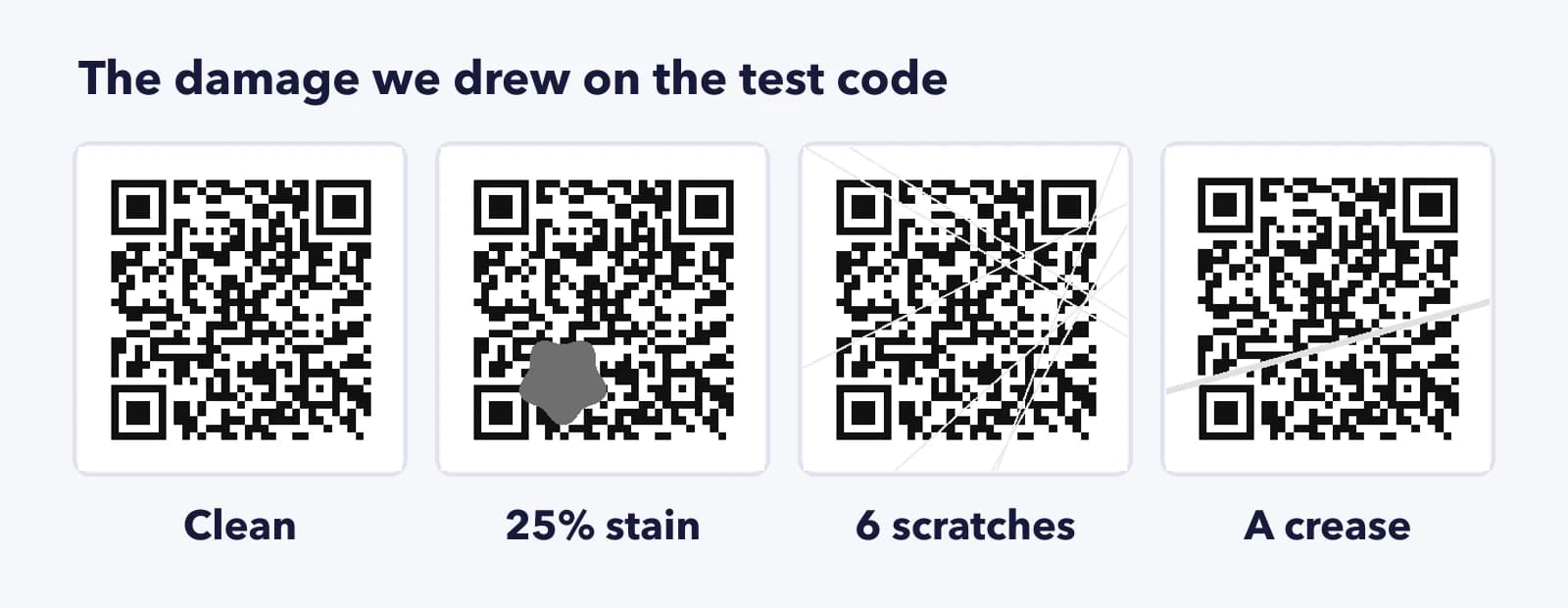
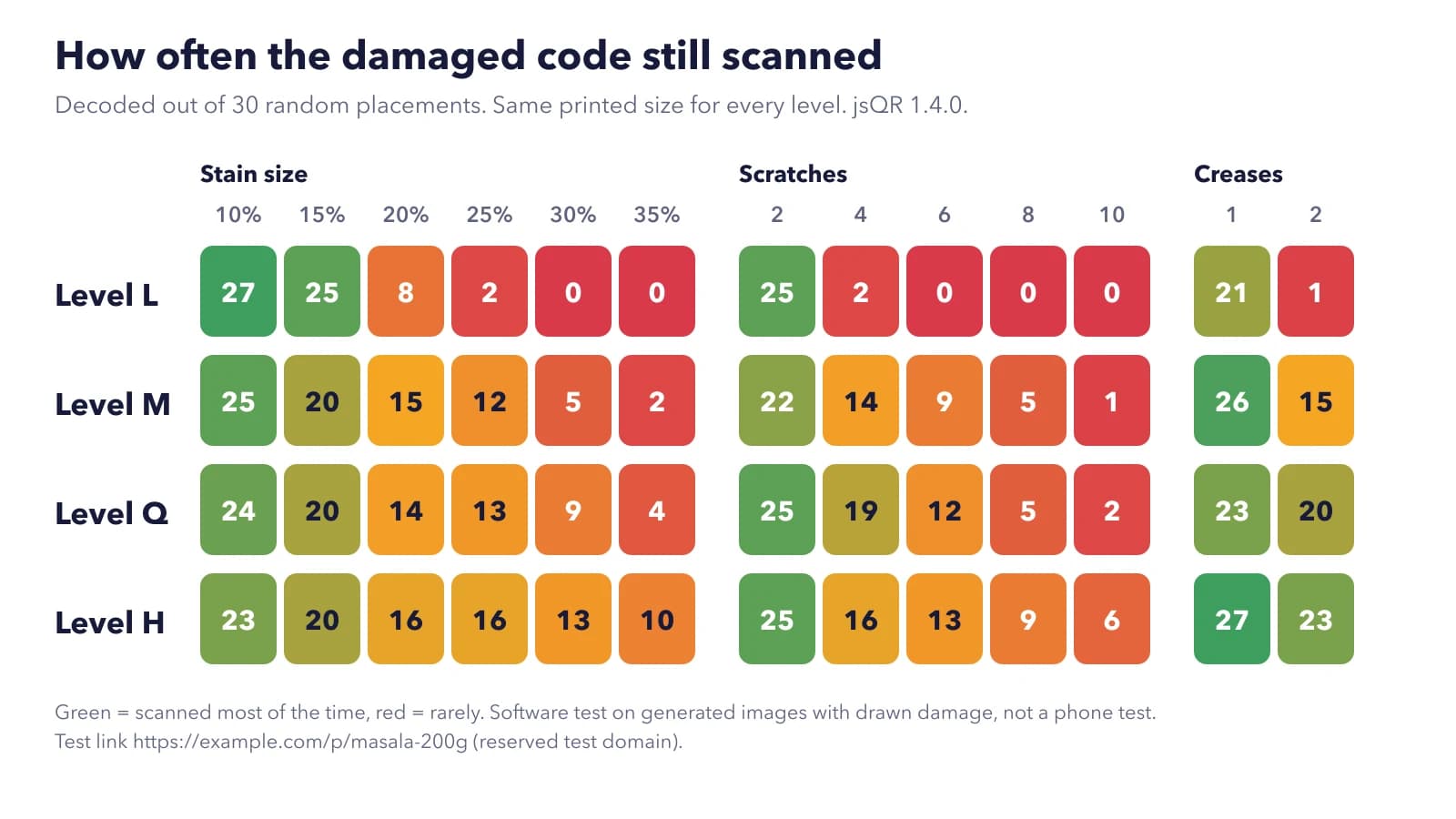
So we tested it. We made one QR code for a test link (https://example.com/p/masala-200g, on a domain reserved for testing) at all four error-correction levels, L, M, Q and H, all printed at the same size. Then we drew everyday damage on top: a brown stain from 10% to 35% of the code's width, between 2 and 10 scratches, and one or two creases. Each kind of damage went in 30 random places, and every image went through jsQR, an open-source decoder.
This time error correction made a real difference. With a stain covering 30% of the width, level L scanned in 0 of 30 placements, M in 5 and H in 13. With eight scratches, L managed none and H managed 9. With two creases, L read just 1 of 30 while H read 23.
There was one twist. With small damage, like a 10% stain, level L did slightly better than H (27 against 23), because L's squares are bigger. And a few codes failed even with a small stain, when it landed right on one of the three corner squares the scanner looks for first. Error correction rebuilds missing data (DENSO WAVE, who invented the QR code, explains how), but it can't help if the scanner never finds the code in the first place.
So for a pack that lives in a kitchen, level Q or H is worth it. Just know it helps with damage, not with curves. On a round bottle the extra squares work against you, as our bottle and can test showed. As always, this was a software test on drawn damage rather than real phones, so treat the numbers as a comparison between levels.
Running Low: The Reorder Moment
The pack is nearly empty. Right now the buyer is holding your product and thinking about buying it again. That's the cheapest marketing moment you'll ever get.
If the code opens a reorder page, whether that's your own shop, a marketplace listing or the nearest stockist, it's one scan from empty pack to new order. Without it, they'll probably buy whatever's on the shelf next time.
When Something Changes After Printing
Recipes change. Instructions get clearer. Sometimes there's a safety notice you need buyers to see. With printed text, every change means new cartons, and the old ones in shops and kitchens stay wrong.
With a dynamic QR code, you change the page and every pack already out there opens the new version. That's the biggest saving for most brands: fewer reprints and less old stock to write off. One honest limit, though. A pack code only reaches people who scan it, so for anything urgent it should sit alongside your other channels, not replace them.
Bin Day: Telling People How to Recycle It
Last stop. The carton is empty, the inner pouch is a different material, and the buyer isn't sure which bin either goes in. A recycling note on the pack page answers that in two lines, and it's an easy place to explain what you're doing about packaging if that matters to your customers.
What Your Business Gets Back
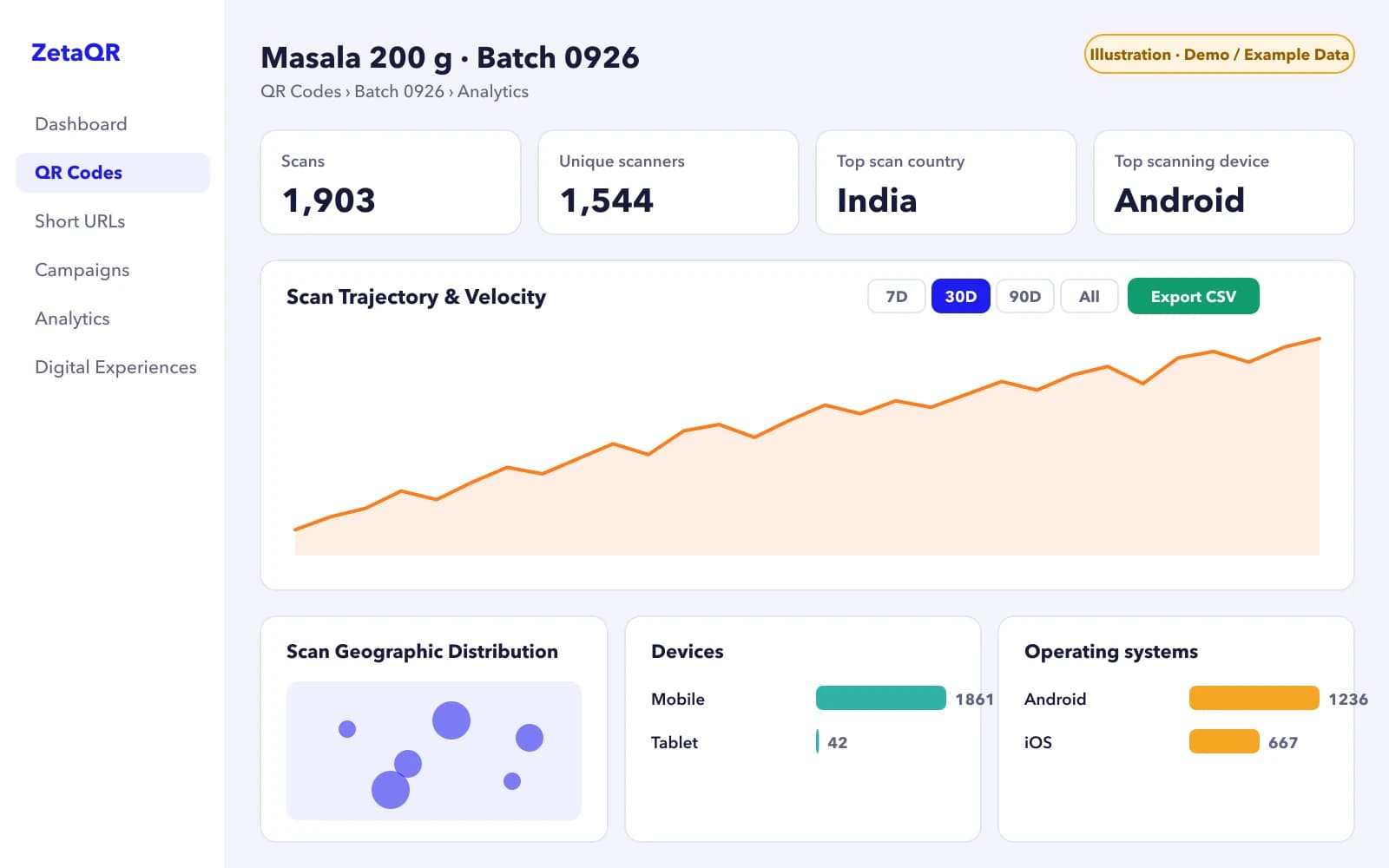
Every stop above helps the buyer. The business side is the data. Each scan is recorded with its date and time, the approximate city and the type of phone. Give each batch or region its own code and scan analytics start to show patterns you can't see from sales figures: which cities scan the recipe page, whether reorder scans come weeks after launch, and which batch is still being used months later.
Be careful what you read into it, though. A scan isn't a sale, and plenty of people use a product without ever scanning it. Scans show interest and timing, not how many packs you sold.
Where to See It in Your Dashboard
Each batch code has its own page. Go to QR Codes, open the batch and choose Analytics. You'll see total and unique scans, the top country and phone, a daily chart you can switch between 7, 30 and 90 days or all time, and a map of where the scans came from.
To compare batches, use Export CSV on each one and line them up in a spreadsheet. Or put all the batch codes in one campaign and read them side by side on the campaign's analytics page. Either way, watch the shape of the line more than the total. A batch that's still being scanned two months after launch is a product people are still using.
When a Pack Code Isn't Worth It
We sell QR codes, so it would be convenient to say every pack needs one. It doesn't. If a product needs no explanation, nobody reorders it by brand, and you'd only point the code at your home page, leave it off. A code that opens your generic website is worse than no code, because it teaches people that scanning your packs is a waste of time.
The packs that benefit most are the ones where buyers have questions, use the product over weeks, or buy it again. That covers a lot of food, beauty, home and electronics, which is why our packaging page starts with manuals, warranties and reorders.
Start With the Moment That Costs You Most
You don't need all six jobs on day one. Pick the one that costs you most today, whether that's support calls, reprints or lost reorders. Put that behind the code on your next print run, and let the scans tell you which job to add next.
Frequently Asked Questions
What should the page look like when someone scans the pack?
Short, fast and built for a phone. Put the answer most people want at the top, like the recipe, the setup video or the reorder button, and keep everything else below it. If it takes more than a couple of seconds to load in a shop, people give up.
Can one code serve shoppers in the store and buyers at home?
Yes. One page can lead with the shelf questions and keep usage tips and the reorder link just below. You can't tell from a scan whether someone has bought the product yet, so a page that works for both is usually simpler than trying to guess.
Can I tell how many sales came from pack scans?
Only for sales that happen online after the scan. Add UTM tags or a pack-only discount code to the reorder link and you'll see those orders in your shop's reports. In-store sales won't show up, so treat scan counts as interest, not revenue.
Related Topics
- #qr-code-packaging-benefits
- #product-packaging-qr-codes
- #qr-codes-for-brands
- #qr-code-error-correction
- #food-packaging-qr-code
ZetaQR Team
EditorialWriting on dynamic QR code technology, physical-to-digital attribution, and print campaign telemetry at ZetaQR.