QR Codes on Real Estate Signs: Size, Placement and Links
A QR code on a for-sale sign only works if it's big enough, placed where people stop, and opens something useful. Here's how to size it and what to link to.
ZetaQR Team
Verified Contributor
Who Actually Scans a For Sale Sign
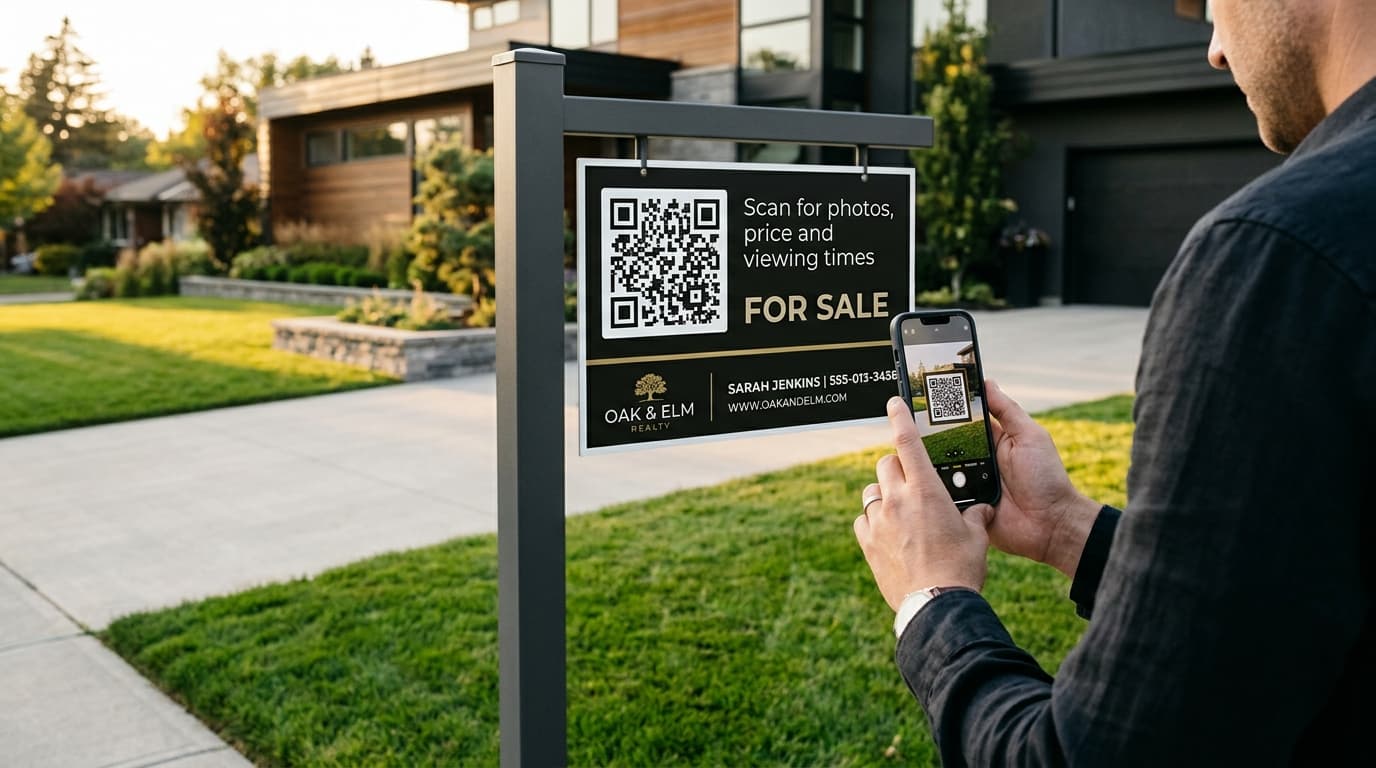
Not drivers. Or at least, they shouldn't be, and you shouldn't design for them. Nobody can safely point a phone at a sign from a moving car, and a code small enough to fit on a standard board can't be read from the road anyway.
The people who scan are on foot. Someone walking the dog past the house every evening. A couple who saw the sign on Saturday, parked a few doors down and wandered back to have a proper look. A neighbour who's curious what the place is going for (there's always one). They're standing on the pavement, a few metres away, usually with one hand free.
That's who the code is for. It changes how big it needs to be, where it goes on the sign, and what it should open when they scan it.
What the Code Should Open
Think about what the person on the pavement wants right then. It's almost never your agency's home page. They want the price, a few photos of the inside, and to know whether they can see it this week.
So send the scan straight to that listing, on a page that loads fast on a phone with two bars of signal. If your listing pages are slow or cluttered, a one-page PDF with the photos, the price and your number can do the job better than the full website. You can host a PDF like that with ZetaQR and swap it whenever the details change.
Give them an easy way to reach you as well. A tap-to-save contact card works for people who'll call later. A short form asking only for a name, a phone number and a good time to view works for the ones who won't. ZetaQR doesn't host forms, so use the one on your website or CRM, and keep it short. Every extra field loses you people. There's more on QR codes for lead capture if you're setting this up across several listings.
And think about the day the house sells. The sign often stays up for a while, and people keep scanning it. If the code points at a listing that's been taken down, they get an error page. If it's a dynamic code, you can repoint it to a 'Sold, here's what else we have nearby' page in a minute, and those late scans still turn into conversations.
Standing Off to the Side: What Our Angle Test Showed
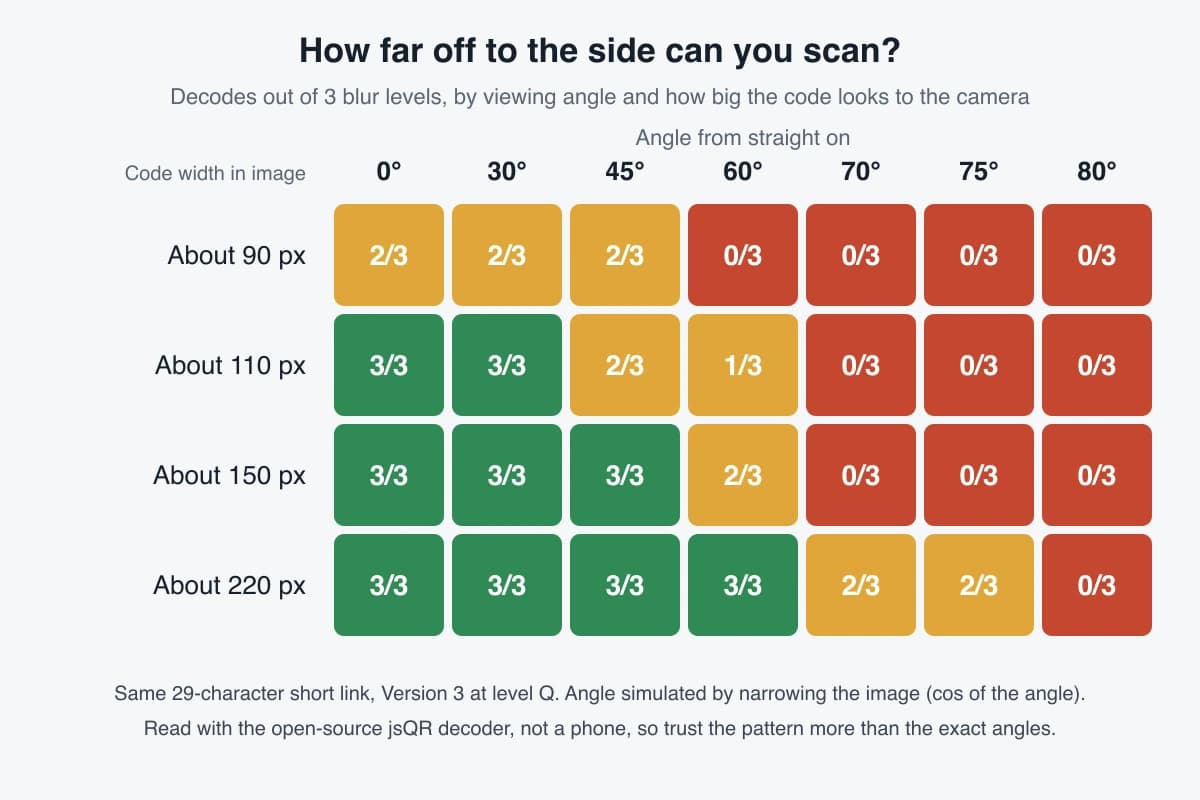
Most size advice assumes the person is standing straight in front of the code. On a pavement they almost never are. They're walking past, so they see the board from off to one side, and the code looks narrower than it really is.
We wanted to know how much that matters, so we tested it. We encoded a short link, rendered it at four sizes (as if the code took up about 90, 110, 150 or 220 pixels of the camera image) and squeezed each one sideways to match what a camera sees from 30, 45, 60, 70, 75 and 80 degrees off-centre. Then we ran every image through jsQR, an open-source QR decoder, at three blur levels to stand in for a shaky hand.
The pattern was clear. At about 90 pixels, the code already missed one blur level straight on and failed every time from 60 degrees. At about 220 pixels, it read cleanly at 60 degrees and still decoded two times out of three at 75. In other words, side angle and distance eat into the same budget. A code that only just scans from the pavement head-on won't scan at all from where people actually stand.
It's a decoder on a laptop, not a phone in the afternoon sun, so don't treat the exact angles as gospel. But the lesson holds: if people will see the sign from the side, either make the code bigger or turn the sign to face them.
Sizing It for the Pavement
The usual guideline for QR codes is a 10:1 ratio. The scanning distance should be no more than about ten times the code's width. A 20 cm code can be read from around 2 metres, a 30 cm code from around 3. It's a starting point, not a guarantee, since light, angle and the phone itself all play a part.
Now look at where your sign sits. If it's planted at the edge of the front garden and people stop on the pavement, they're probably 2 to 4 metres away. That points to a code somewhere between 20 and 40 cm wide.
Here's the awkward part. A common board size is about 45 by 60 cm (18 by 24 inches). Put a 30 cm code on that and there's not much room left for the agency name, the phone number and the words 'For Sale'. So most people end up making a choice.
One option is a smaller code, around 15 to 20 cm, paired with a line of text that tells people to come closer, like 'Scan for photos and the price'. Curious people will walk up a few steps. Another is a separate rider panel or a small post-mounted box at chest height near the path, where people can stand right in front of it. The second one usually scans better, because nobody has to reach over a hedge.
Which way the board faces matters as much as how big the code is. A sign set flat to the street looks great from a car and shows the code at a steep angle to everyone walking along the pavement. Turning it to face the direction most people approach from, or using a double-sided board set at right angles to the pavement, puts the code nearly head-on for walkers coming either way.
What the Scans Tell You (and What They Don't)
A printed sign normally gives you no feedback at all. You find out it worked when someone rings, and you rarely know which sign made them do it.
A dynamic code changes that, because every scan passes through a redirect that can be counted. Give each property its own code and you'll see how many people scanned, on which days and at what times, and roughly which city they were in, all in your scan analytics. You might find the sign on the corner plot gets three times the scans of the one on the cul-de-sac, or that Sunday afternoons are when people actually stop and look.
But be honest with yourself about what a scan is. It's curiosity, not a buyer. Plenty of scans will be neighbours. Location comes from the scanner's IP address, so it's approximate and mobile networks can be off by a fair distance. What scans are good for is comparison: this sign against that one, this month against last, this wording against the old wording.
Where This Goes Wrong
Most failed sign codes fail for boring physical reasons. Signs are often printed on corrugated plastic with a glossy finish, and on a sunny afternoon the glare can wash the code out completely from some angles. A matte laminate helps a lot. So does keeping the code off the bottom edge of the board, where long grass and rain splashes get to it first.
Signs also live outside for weeks with nobody watching them. Look at the code whenever you're at the property. Check it hasn't faded, been scratched, or had a sticker put over it. Fake QR stickers on public signs are a known scam, and a for-sale board is an easy target, so give it a quick scan yourself and make sure it still opens your page.
The other risk is the obvious one with any dynamic code: it only works while the redirect behind it does. We cover that trade-off, and when a plain static code is the better pick, in our post on static vs dynamic QR codes for print. For signs you'll reuse across listings, though, the ability to repoint the code is most of the point.
Before the Sign Goes in the Ground
Before you order a batch of boards, stick a full-size proof onto an old sign and put it where the real one will go. Then walk past it the way a stranger would and check:
- It scans from the pavement, coming from both directions.
- It still scans with the sun behind the board and in front of it.
- The words next to the code tell people what they'll get.
- The page it opens has the price, the photos and a way to book a viewing, and loads on mobile data.
- You've already made the 'Sold' page you'll point it to later, so swapping it over takes a minute on the day.
It's half an hour, mostly walking up and down. Reprinting a batch of boards takes a lot longer.
Frequently Asked Questions
Can I reuse the same sign for my next listing?
Yes, if the code is dynamic. When the property sells, point the code at your next listing and put the sign back out. It's worth naming each code after the physical sign rather than the address, so your scan history still makes sense after you've moved it a few times.
Should every property have its own QR code?
If you want to know which signs are working, yes. One shared code for all your boards still gets people to your listings, but you lose the ability to compare one location with another.
Should the code go on both sides of the sign?
If the board is double-sided, yes. People approach from both directions, and the side they see first is the side they'll scan. You can use the same code on both, or two different codes if you're curious which direction brings more scans.
Do people need an app to scan the sign?
Usually not. iPhones read QR codes straight from the Camera app, and most Android phones do the same through the camera or Google Lens. Some older Android models still need a scanner app, which is one more reason to put the web address in small text under the code.
What should the text next to the code say?
Say what people get, in a few words. 'Scan for photos and the price' or 'Scan to book a viewing' works far better than a bare code, because people are more willing to scan when they know what's on the other side.
Start With One Sign
You don't need to redo every board at once. Take your next listing, make a dynamic QR code that opens the listing with a way to book a viewing, and give it a short link. Print a proof, scan it from the pavement, and see what the scan numbers look like after a couple of weekends. That'll tell you more about your own signs than any guide can.
Related Topics
- #real-estate-qr-codes
- #for-sale-sign-qr-code
- #property-signage
- #qr-code-size
- #real-estate-lead-capture
ZetaQR Team
EditorialWriting on dynamic QR code technology, physical-to-digital attribution, and print campaign telemetry at ZetaQR.